
The K–12 Chromebook Repair Parts Checklist for Back-to-School Readiness
Updated: Jun 22
A well-stocked repair inventory means fewer delays, faster turnarounds, and more devices back in students' hands.

Summer repair season is one of the busiest times of the year for K–12 technology teams.
With devices back in IT's hands, July becomes the window to work through repair backlogs, replace worn components, and get as many devices as possible ready for students before school starts.
The challenge is that repair volume tends to move quickly, and a missing screen, keyboard, battery, or charger can slow down an entire repair workflow. As back-to-school gets closer, parts delays become harder to absorb.
If your team is preparing devices for deployment, this Chromebook repair parts checklist highlights the key replacement parts worth reviewing before day one.
Chromebook Repair Parts Checklist:
Screens
Broken screens are one of the most common Chromebook repairs schools face.
Summer is often the best opportunity to work through accumulated screen damage while devices are out of student hands.

Review:
LCD screens
Touchscreen assemblies
Display cables
Complete display assemblies
If screen repairs are already underway, make sure you have enough inventory to finish the job before deployment begins.
Chromebook Repair Parts Checklist:
Batteries
After a full school year of daily use, battery performance often becomes more noticeable.
Students returning to devices with poor battery life can create unnecessary support requests right out of the gate.

Look for:
Batteries showing reduced runtime
Swollen batteries
Devices that struggle to hold a charge
Replacing batteries during summer repairs can help extend device life and improve the student experience from day one.
Chromebook Repair Parts Checklist:
Keyboards
Keys take a lot of wear throughout the school year.
Missing keys, damaged keyboards, and non-functioning input devices are common repairs that can usually be addressed quickly when parts are available.

Consider stocking:
Complete keyboard assemblies
Palmrest assemblies with keyboards
Model-specific replacement keyboards
Chromebook Repair Parts Checklist:
Charging Ports
Charging issues often appear after months of daily plugging and unplugging.
A device that cannot reliably charge can quickly become unusable in the classroom.

Review devices for:
Loose charging ports
Intermittent charging
Physical connector damage
Addressing charging issues now helps prevent avoidable downtime later.
Chromebook Repair Parts Checklist:
Hinges & Plastics

Hinges, bezels, top covers, and bottom covers often show wear by the end of the school year.
While these repairs may not always be urgent, summer provides a good opportunity to address physical damage before devices return to students.
Common parts include:
Hinges
Bezels
Top covers
Bottom covers
Palmrest assemblies
Chromebook Repair Parts Checklist:
Full Assemblies
For heavily damaged devices, replacing individual components is not always the most efficient option.
Complete assemblies can help speed up repairs and reduce labor time when turnaround matters.
Depending on the model, this may include:
Display assemblies
Top assemblies
Bottom assemblies
Palmrest assemblies
Chromebook Repair Parts Checklist:
AC Adapters
July and August often bring a spike in charger demand.
As devices are checked, staged, and prepared for deployment, schools frequently discover missing, damaged, or worn-out chargers. Having replacement AC adapters on hand helps avoid last-minute surprises and keeps devices ready for students on day one.
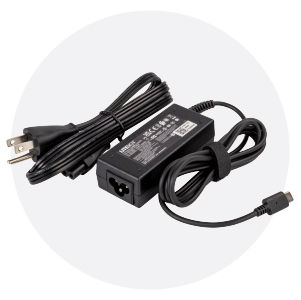
Not all replacement chargers are created equal. Using UL-certified AC adapters helps schools ensure they are deploying chargers that meet recognized safety standards and are designed for reliable classroom use.
This is one of the easiest items to overlook and one of the most common causes of deployment delays.
Related Article
Learn why many districts choose UL-certified chargers
and what to look for when purchasing replacement adapters.
Quick July Parts Review
Before students return, ask:
✓ Do we have enough screens to finish current repairs?
✓ Are battery replacements already identified?
✓ Do we have keyboards and charging ports for common repairs?
✓ Are hinges, bezels, and assemblies available for heavier repairs?
✓ Do we have enough replacement AC adapters for deployment?
A quick inventory check now can help your team avoid delays and keep repairs moving through the final stretch of summer.


