Back-to-School Chromebook Planning: How to Fill Device Gaps Before Students Return
- 2 days ago
- 3 min read

For K–12 technology teams, back-to-school Chromebook planning often starts with a device forecast. But by July, many districts discover that actual needs don't quite match the original plan.
Enrollment numbers have shifted, summer school programs require additional inventory, and some devices that were expected to be repaired are no longer economical to fix. Suddenly, the margin between having enough devices and falling short becomes much smaller.
The good news is that there is still time to identify Chromebook gaps, secure additional inventory, and prepare for a smooth deployment before students return.
Why Back-to-School Chromebook Planning Often Changes
Back-to-school planning begins months in advance, but device needs can change quickly throughout the summer.
As part of your back-to-school Chromebook planning, take a fresh look at:
Updated enrollment projections
New student registrations
Summer program device requirements
Staff device needs
Devices currently out for repair
Even small changes can create unexpected shortages when multiplied across several schools and grade levels.
A final Chromebook inventory review now can help prevent last-minute surprises in August.
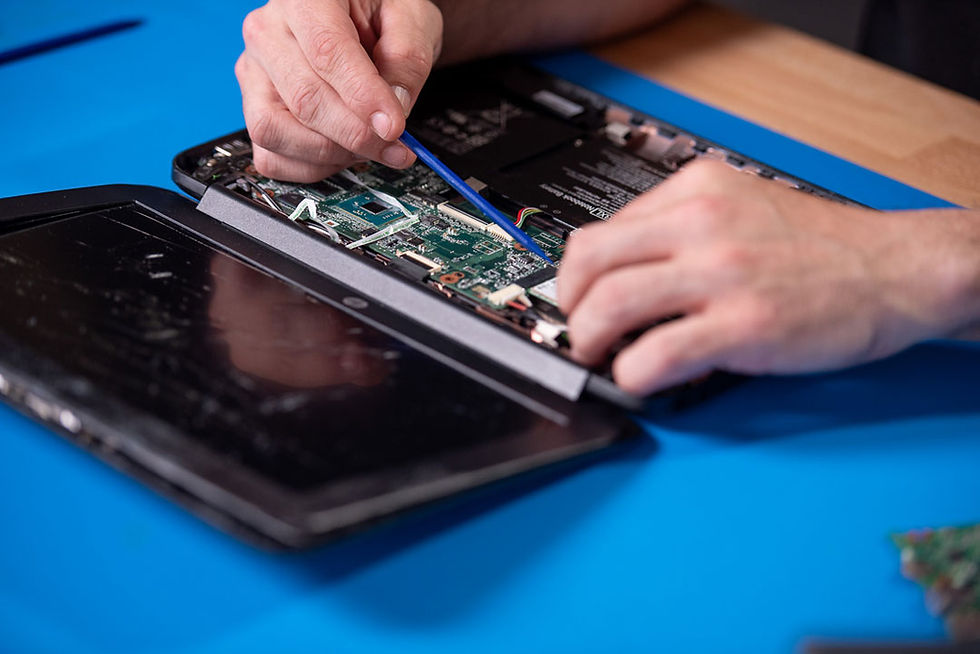
Check What's Missing, Damaged, or Not Worth Repairing
Not every Chromebook in storage is deployment-ready.
Before finalizing purchase decisions, identify devices that fall into these categories:
Missing or unaccounted-for devices
Units with broken screens or keyboards
Devices with battery failures
Systems with motherboard or charging issues
Older models that may no longer justify repair costs
For many districts, the number of unusable devices is higher than expected once technicians begin preparing carts and classrooms.
Separating repairable devices from replacement candidates helps create a more accurate picture of your actual inventory.
Decide Where Recertified Devices Make Sense
When timelines are tight or budgets are limited, recertified Chromebooks can help fill immediate needs without sacrificing reliability.
Many districts use recertified devices for:
Enrollment growth
Short-term shortages
Summer school programs
Device replacement reserves
Specific grade-level deployments
Quality recertified Chromebooks can provide a cost-effective solution while helping districts stay within budget, maintain one-to-one initiatives, and quickly fill unexpected device shortages.
The key is partnering with a supplier that understands K–12 deployment timelines and can provide thoroughly tested devices, verified inventory availability, and dependable fulfillment when schools need it most.
At AGP, we work with K–12 technology teams to help fill Chromebook gaps with tested, classroom-ready devices that can be deployed quickly when timelines are tight.
Confirm Availability Before Timelines Get Tight
As back-to-school season approaches, inventory availability can change quickly.
Waiting until the final weeks before deployment may limit model options and shipping flexibility.
To avoid delays:
Confirm device availability early
Verify lead times before submitting purchase requests
Check compatibility with existing device fleets
Identify alternative models if needed
A proactive review now can help ensure devices arrive before classroom deployment schedules begin.
Build a Quick Quote Before Deployment Week
Even if final numbers aren't fully locked in, obtaining a quote now gives your team a clear path forward.
A preliminary quote can help:
Reserve inventory
Support budget approvals
Compare repair versus replacement costs
Plan for enrollment fluctuations
Reduce procurement delays
The closer you get to deployment week, the fewer options may be available.
By identifying gaps now and securing inventory early, your district can enter the school year with greater confidence that every student will have access to the technology they need on day one.
That's why successful back-to-school Chromebook planning starts well before deployment week.
Don't Wait Until Devices Are Needed
If your team is still validating inventory or identifying replacement needs, now is the time to act. Reviewing device counts, evaluating repair candidates, and confirming availability today can help prevent last-minute scrambling before school starts.
Need to fill Chromebook gaps
before school starts?
Find classroom-ready Chromebook inventory fast.